Professional Desktop Software

ColorDeco Tinting Software

Professional software for calculating and managing paint tinting recipes. Color matching, complete history, custom mix, and full management of paint bases and colorants.

Automatic recipe calculation
Advanced color matching
History and quick search
Custom color mixing
Paint bases and colorants management
Automatic price calculation
ColorDeco - Paint Tinting Recipes
Features

Complete Paint Tinting Solution

Everything you need to efficiently manage the tinting process in your paint store.

Tinting Recipes

Select the color, base and quantity. The application automatically calculates the colorant recipes.

Color Matching

Match scanned colors with formulas from the database using Delta E algorithms.

Complete History

Save all recipes with client details, date, and quick reuse capability.

Custom Mix

Create unique colors by combining individual pigments with real-time preview.

Paint Tinting Recipes

Paint Tinting Recipe Calculation

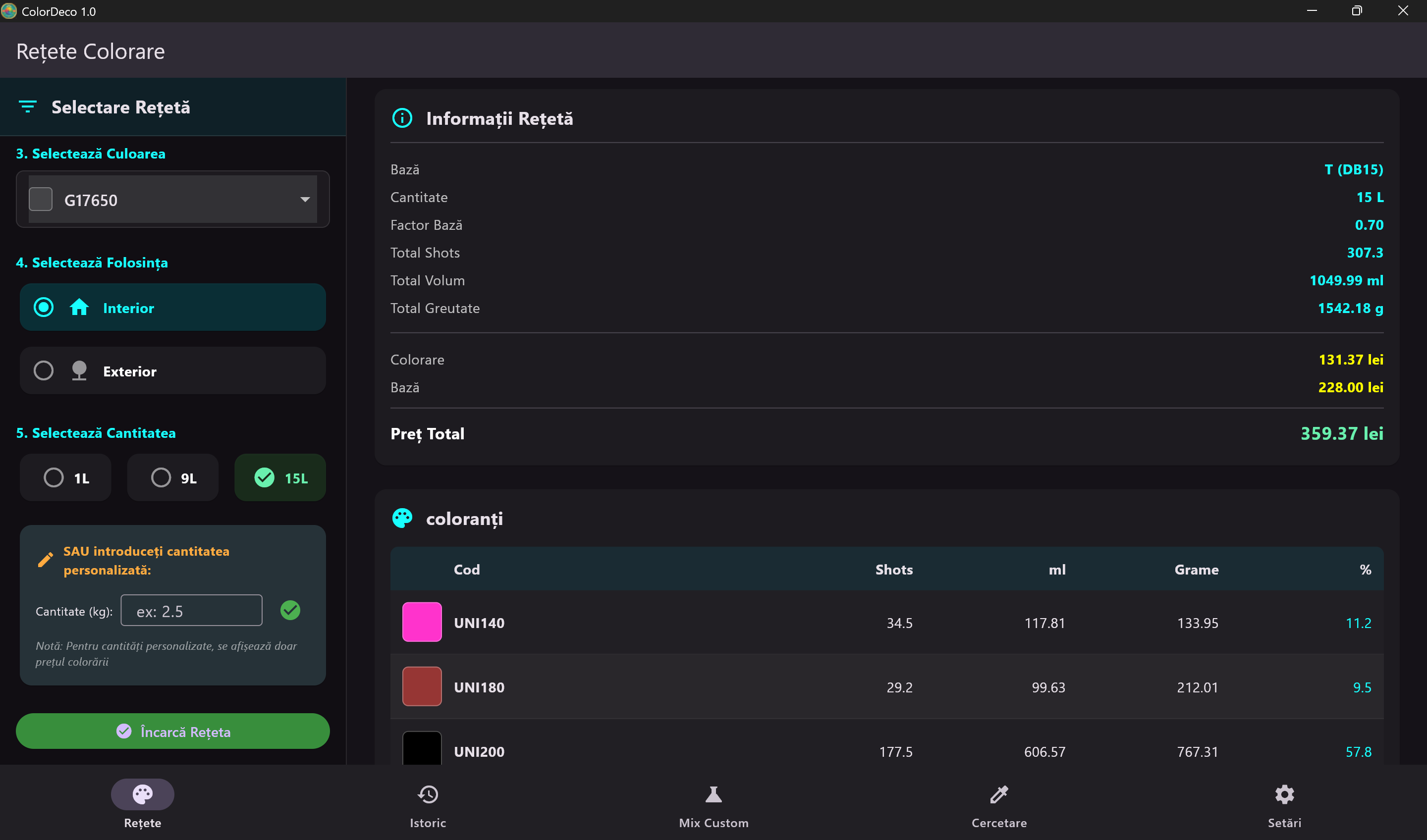
The main module of the application allows quick selection of the desired color from color charts, choosing the paint base and quantity. The application automatically calculates the required colorant formula.

Complete information includes: total colorant quantity in ml and grams, number of shots, tinting price and base price separately.

  • Selection from multiple color charts
  • Interior/Exterior options for usage
  • Predefined or custom quantities
  • Automatic total price calculation
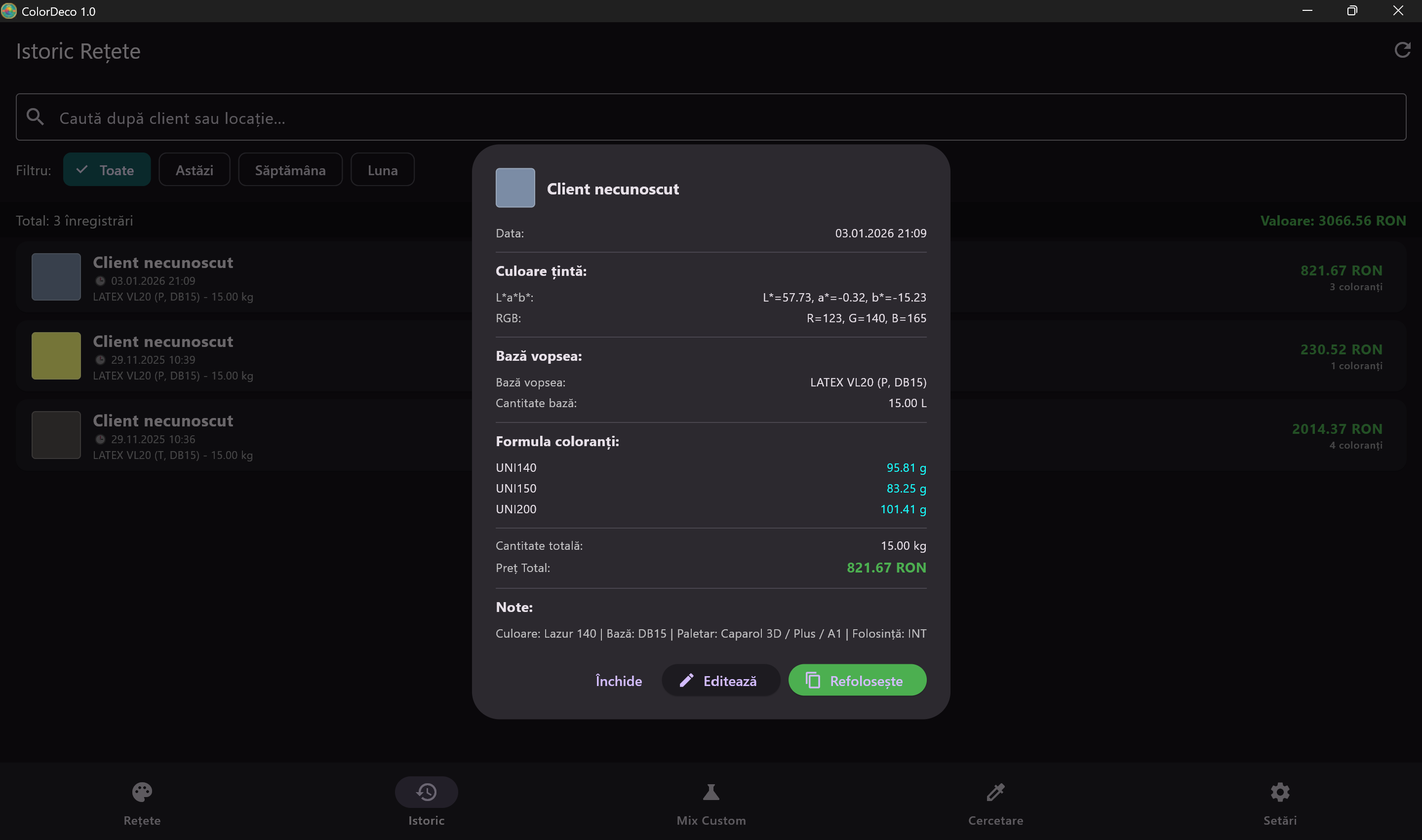
Recipe History

History and Customer Management

All created recipes are automatically saved in history with complete details: customer, date, target color (in L*a*b* and RGB format), paint base and exact colorant formula.

Advanced filters allow searching by customer, location, or time period. Recipes can be edited or instantly reused.

  • Quick search by customer or location
  • Filters: Today, Week, Month, All
  • One-click recipe reuse
  • Total value for selected period
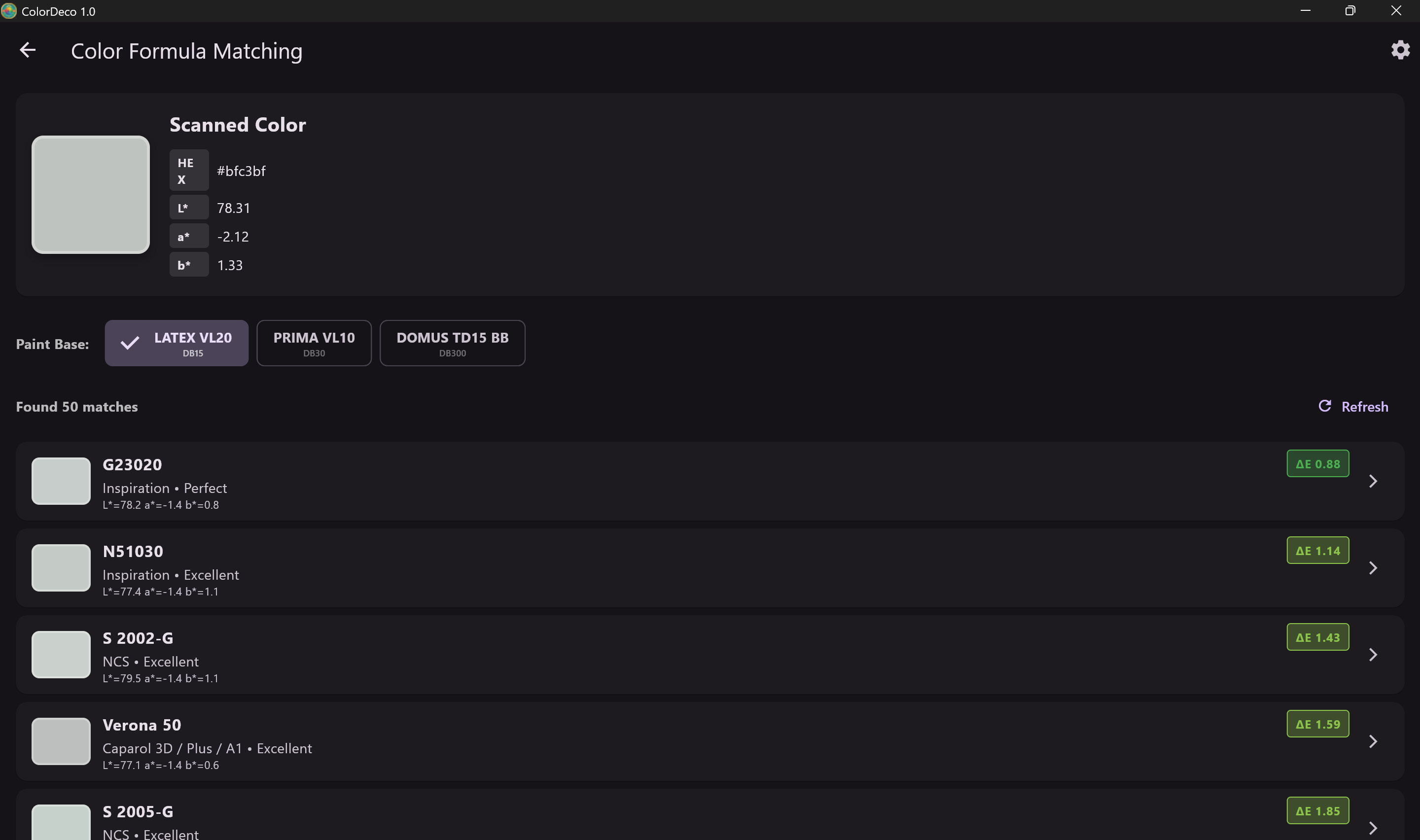
Color Formula Matching

Color Matching

Advanced functionality for finding the closest color from color charts based on a scanned color. Displays HEX and L*a*b* values and calculates Delta E difference for each result.

Select the desired paint base and instantly get the list of best matches, sorted by quality (Perfect, Excellent, etc.).

  • Delta E algorithm for accuracy
  • Support for multiple paint bases
  • Results sorted by match quality
  • Display L*a*b* and HEX values
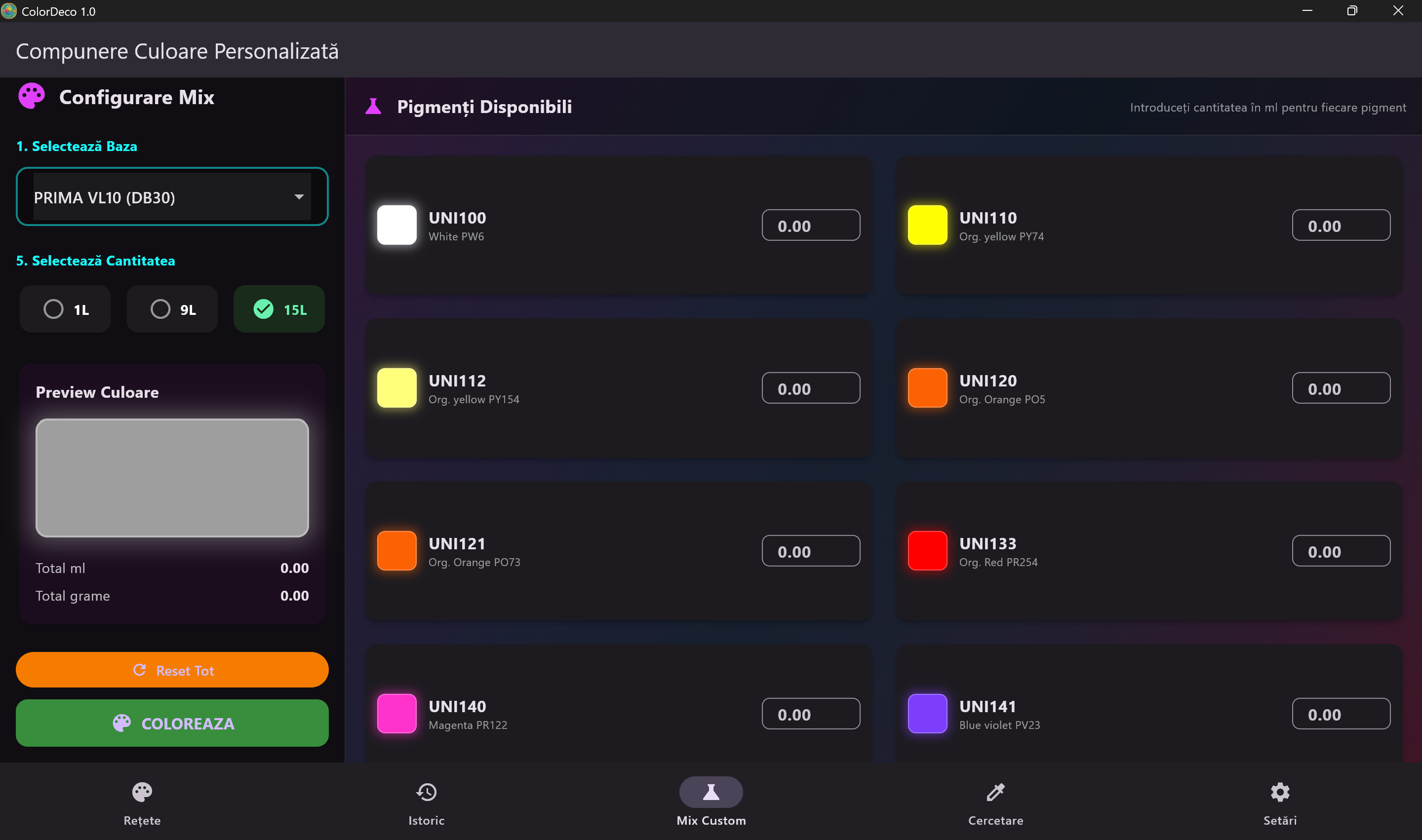
Custom Color Mixing

Custom Color Composition

Create unique colors by manually combining available pigments. Select the paint base, quantity, and add pigments individually to achieve the desired shade.

Real-time preview shows the resulting color as you adjust pigment quantities.

  • Complete list of available pigments
  • Real-time color preview
  • Automatic calculation of total ml and grams
  • Quick reset for a fresh start
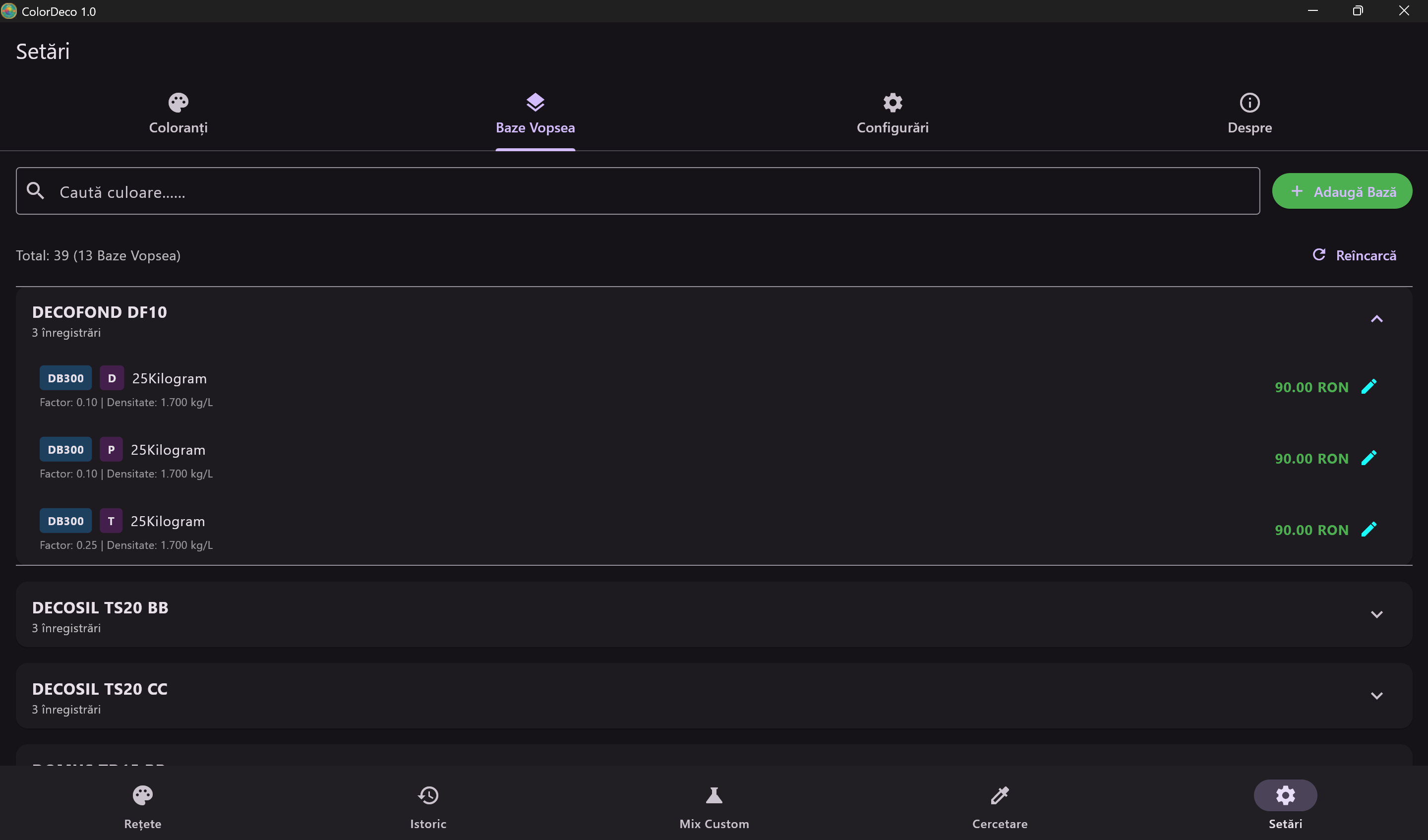
Settings and Configuration

Paint Bases and Colorants Management

The settings module allows complete configuration of paint bases and colorants. Add, edit, or delete products, set prices and technical parameters.

Each paint base can have multiple variants (D, P, T) with different factors and densities.

  • Colorant management with codes and prices
  • Multiple paint base configuration
  • Set factors and densities per product
  • Quick search in product list
SPECTRO 1 PRO Spectrometer

SPECTRO 1 PRO Spectrometer Integration

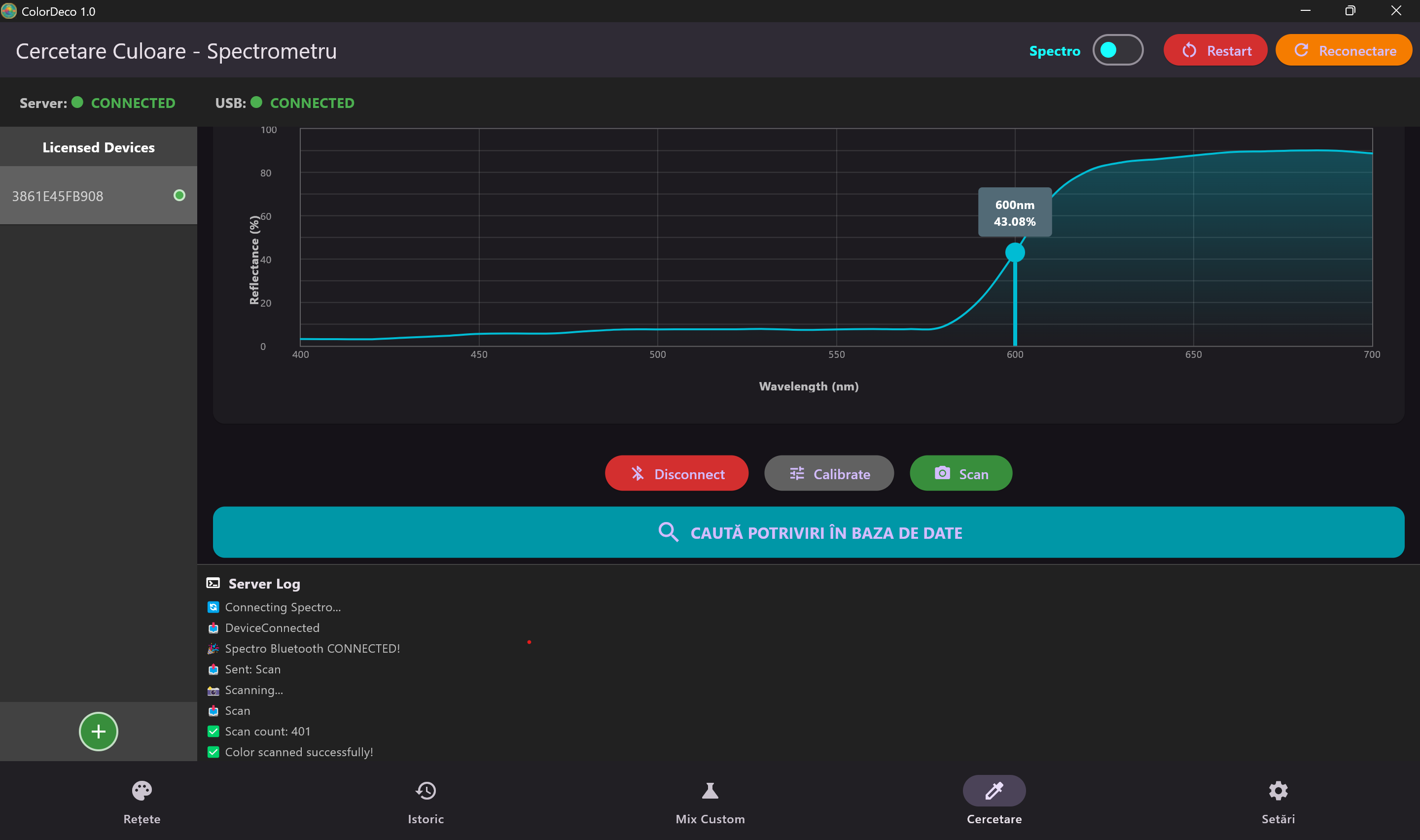
ColorDeco supports the SPECTRO 1 PRO photospectometer from Variable Inc. for professional color scanning. Connection is made via Bluetooth, and results are displayed instantly as a spectral curve.

After scanning, the application automatically searches for matches in the formula database, offering the closest available colors with Delta E calculation for each result.

  • Bluetooth connection with SPECTRO 1 PRO
  • Spectral curve display 400-700nm
  • Automatic database match search
  • Device calibration from the app

Who Is ColorDeco For?

The software is designed for professionals in the paint and finishing industry.

Paint Stores

Serve customers quickly with precise recipes and automatically calculated prices.

Tinting Centers

Manage large order volumes with history and recipe reuse.

Distributors

Provide technical support to customers with formulas and color matches.

Specifications

Technical Specifications

System Requirements

  • Operating System Windows 10/11
  • Processor Intel i3 or equivalent
  • RAM Memory 4 GB minimum
  • Disk Space 500 MB

Features

  • Database Local / Cloud
  • Updates Automatic
  • Support Email / Phone
  • Language RO, EN, FR, DE

Ready to Streamline Your Tinting?

Contact us for a ColorDeco software demonstration or for licensing information.